Plugin Interface
The Workflow, Inside Pro Tools

How It Works
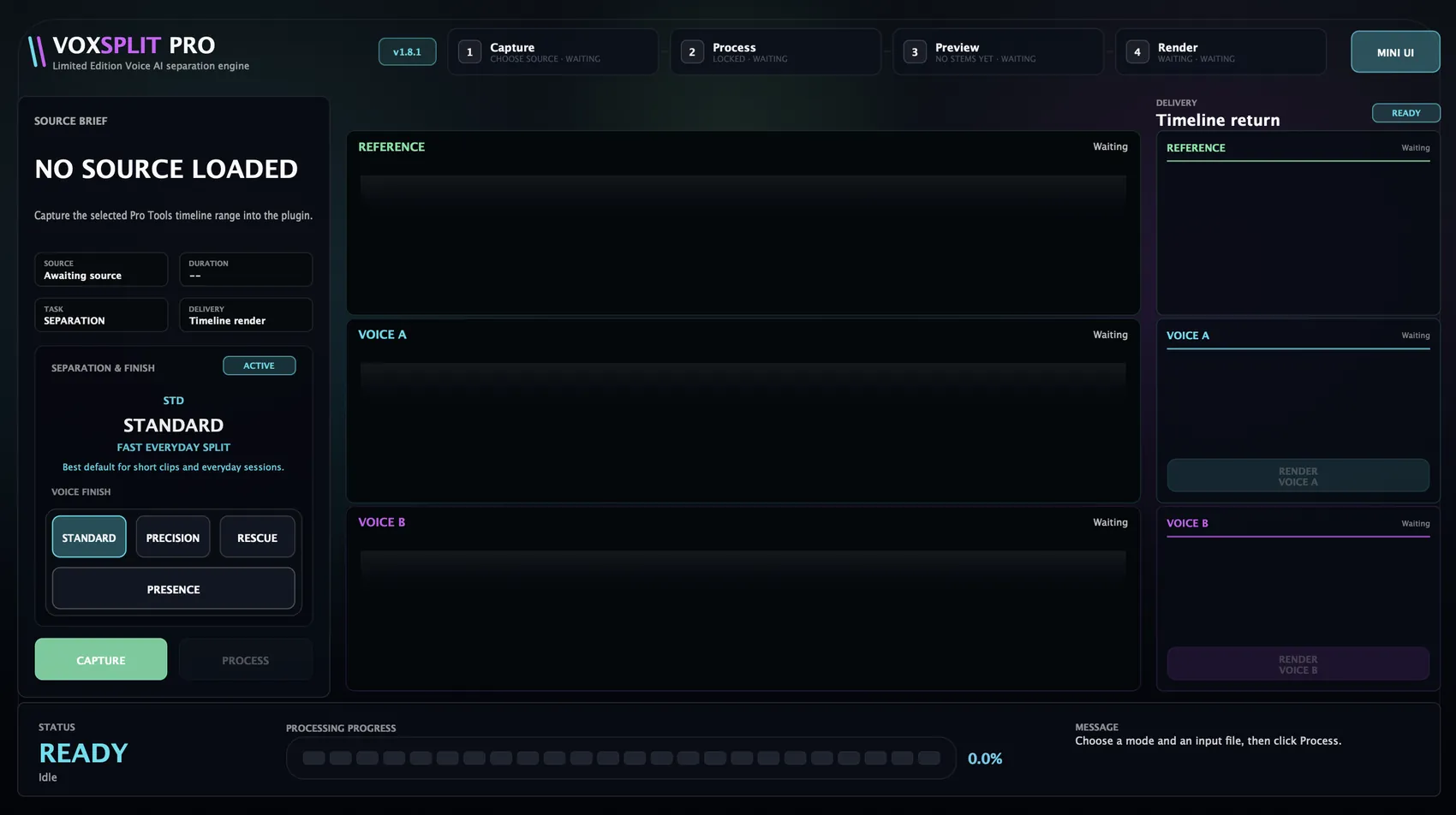
VOXSPLIT PRO follows a clear four-step local-processing workflow.
The Capture / Process / Audition / Render workflow below describes the AAX version of VOXSPLIT PRO inside Pro Tools, using direct timeline integration. The VST3 and Standalone versions use the same AI engine and processing profiles, but with a file-based workflow: load an audio file, process it, and export the result.
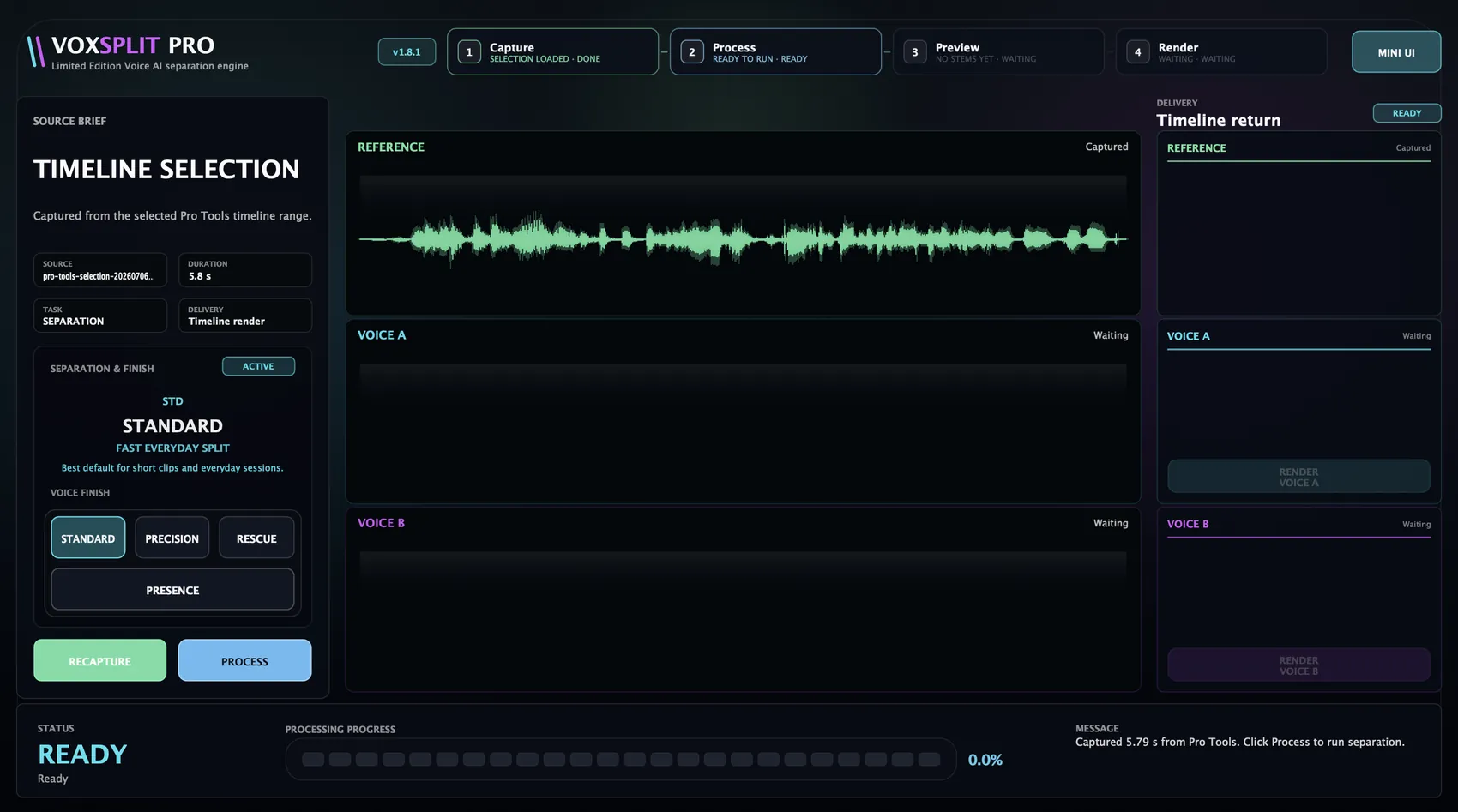
Select the target range in Pro Tools and bring that timeline selection into the plugin.
Run local voice separation using the profile that best matches the material.
Review the source reference and separated voice results before committing anything back to the timeline.
Choose the desired output and place it back into the Pro Tools session.
The workflow is designed to stay simple: capture, separate, review, return.
Plugin Interface
Plugin in Action
A guided four-step workflow (Capture, Process, Preview, Render) visible at every moment in the header.
Profiles
Select the profile before processing. Each is designed for a different type of material.
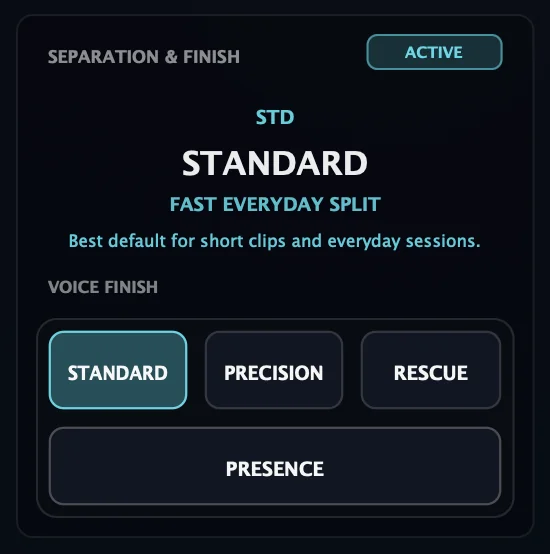
Best balance of speed and separation quality.
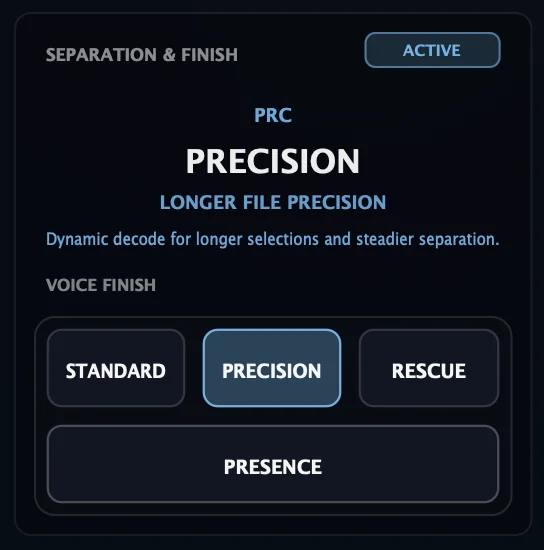
Useful when dialogue passages are less straightforward.
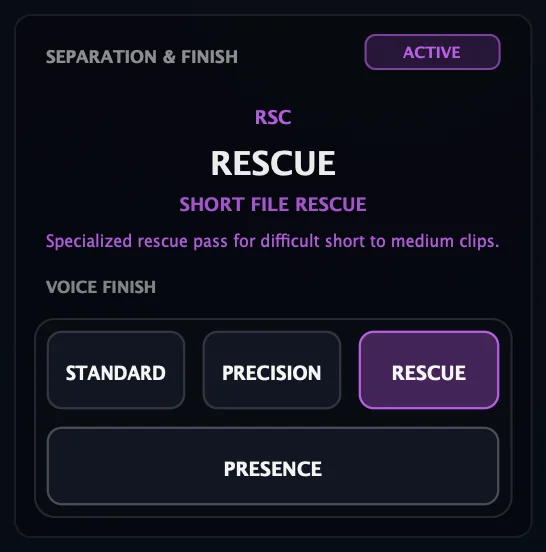
Designed for difficult material when the default pass is not enough.
Compact Mode
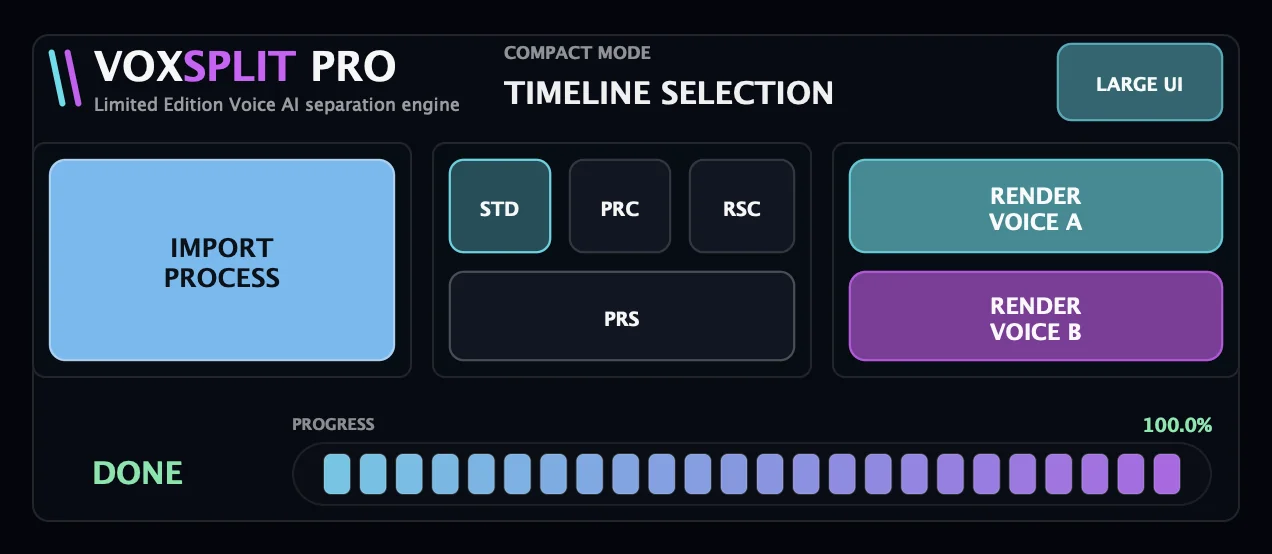
Switch to Compact Mode and keep working: import, profile selection, progress, and stem render in a single strip.
VOXSPLIT PRO
Available now for macOS. Try the free trial or get your licence.